JPG to PES Conversion Made Easy: A Step-by-Step Guide
Need to convert JPG to PES for embroidery? This step-by-step guide covers the best methods—from free online tools to professional software—for perfect stitch files

Introduction
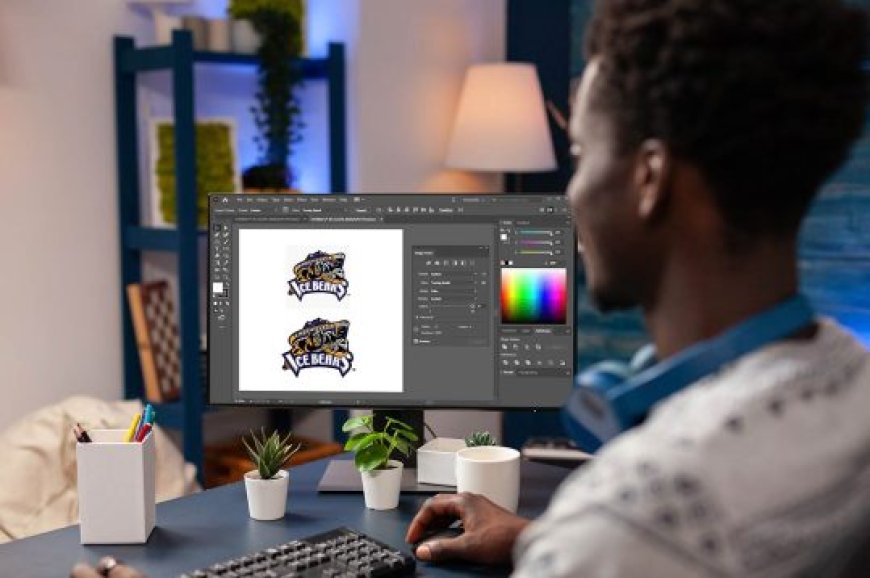
If youve ever tried to embroider a JPG image directly, you know it doesnt workembroidery machines need specialized PES files (Brothers stitch format). Convert JPG to PES file isnt as simple as changing a file extension; it requiresdigitizing, the process of turning pixels into stitches.
But dont worrywhether you're a DIY enthusiast or a small business owner, this guide will walk you through the easiest ways to convert JPG to PES. Well cover:
-
Free online converters(quick but basic)
-
DIY software methods(more control)
-
Professional digitizing services(best for complex designs)
By the end, youll know exactly how to get a PES file that stitches out perfectly.
Why Cant You Directly Stitch a JPG File?
Embroidery machines dont recognize JPGs because:
-
JPGs are raster images(made of pixels).
-
PES files contain stitch instructions(types, order, density).
Without conversion, your machine wont know where to place stitches, leading to errors or a garbled design.
Method 1: Free Online JPG to PES Converters
Best for: Simple designs, quick projects
Free online tools auto-convert JPGs to PES, but results vary. Heres how to use them:
Step-by-Step:
-
Find a reliable converter(tryOnlineEmbroideryConverterorStitchize).
-
Upload your JPG(use high-resolution images for better results).
-
Adjust settings(select PES format, stitch density if available).
-
Download & test stitch(check for errors before final embroidery).
Pros:
? No software needed
? Fast (under 5 minutes)
Cons:
? Limited editing options
? May not work well for complex designs
Method 2: Convert JPG to PES Using Software
Best for: More control, professional results
If you embroider often, investing in digitizing software pays off. Heres how to do it:
Option A: Ink/Stitch (Free)
-
Download Inkscape(free vector software).
-
Install the Ink/Stitch plugin(tutorials available online).
-
Trace your JPG(convert to vector paths).
-
Adjust stitch settings(underlay, stitch type).
-
Export as PESand test stitch.
Option B: Hatch Embroidery (Paid, $99+)
-
Import JPGinto Hatch.
-
Use auto-digitizingor manually trace.
-
Refine stitch paths(fix overlaps, adjust density).
-
Save as PESand load to your machine.
Pros:
? Better quality than online tools
? Full control over stitch types
Cons:
? Steeper learning curve (for manual editing)
? Paid software costs $100+
Method 3: Hire a Professional Digitizing Service
Best for: Logos, intricate designs, or bulk orders
If you need flawless results, outsourcing to experts saves time. Top services include:
Steps:
-
Choose a provider(e.g., Absolute Digitizing, Digitizing Buddy).
-
Upload your JPG(specify size, fabric type).
-
Receive PES file in 624 hours(rush options available).
-
Test stitch & request editsif needed.
Pros:
? Perfect stitch flow
? Hand-edited for fabric type
Cons:
? Costs $10$30 per design
Common JPG to PES Conversion Mistakes to Avoid
-
Using low-resolution images? Blurry stitches.
-
Skipping test stitches? Wasted thread/fabric.
-
Ignoring stitch density? Too thick (stiff fabric) or too thin (gaps).
-
Choosing the wrong underlay? Design shifts during stitching.
FAQ: JPG to PES Conversion
Q: Can I convert JPG to PES for free?
A: Yes, with online tools or Ink/Stitch, but quality varies.
Q: Why does my PES file look distorted?
A: The JPG may need manual cleanup before conversion.
Q: How long does professional digitizing take?
A: Typically 624 hours; rush services cost extra.
Conclusion: Choose the Right Method for Your Needs
Converting JPG to PES doesnt have to be complicated. Forquick, simple designs, free online tools work. Formore control, try Ink/Stitch or paid software like Hatch. And if you needflawless, professional results, hiring a digitizing service is worth it.
Final Tip:Always test stitch on scrap fabric before your final project!
Ready to turn your JPG into a perfect PES file? Pick your method and start embroidering today!